Miodrag Milovanović – AI Filmmaker + Director Open to work
← All work/ComfyUI workflows

Workflows

The node graphs behind the films and the game

ComfyUIKrea 2FLUX KontextMiniMax H3Modal
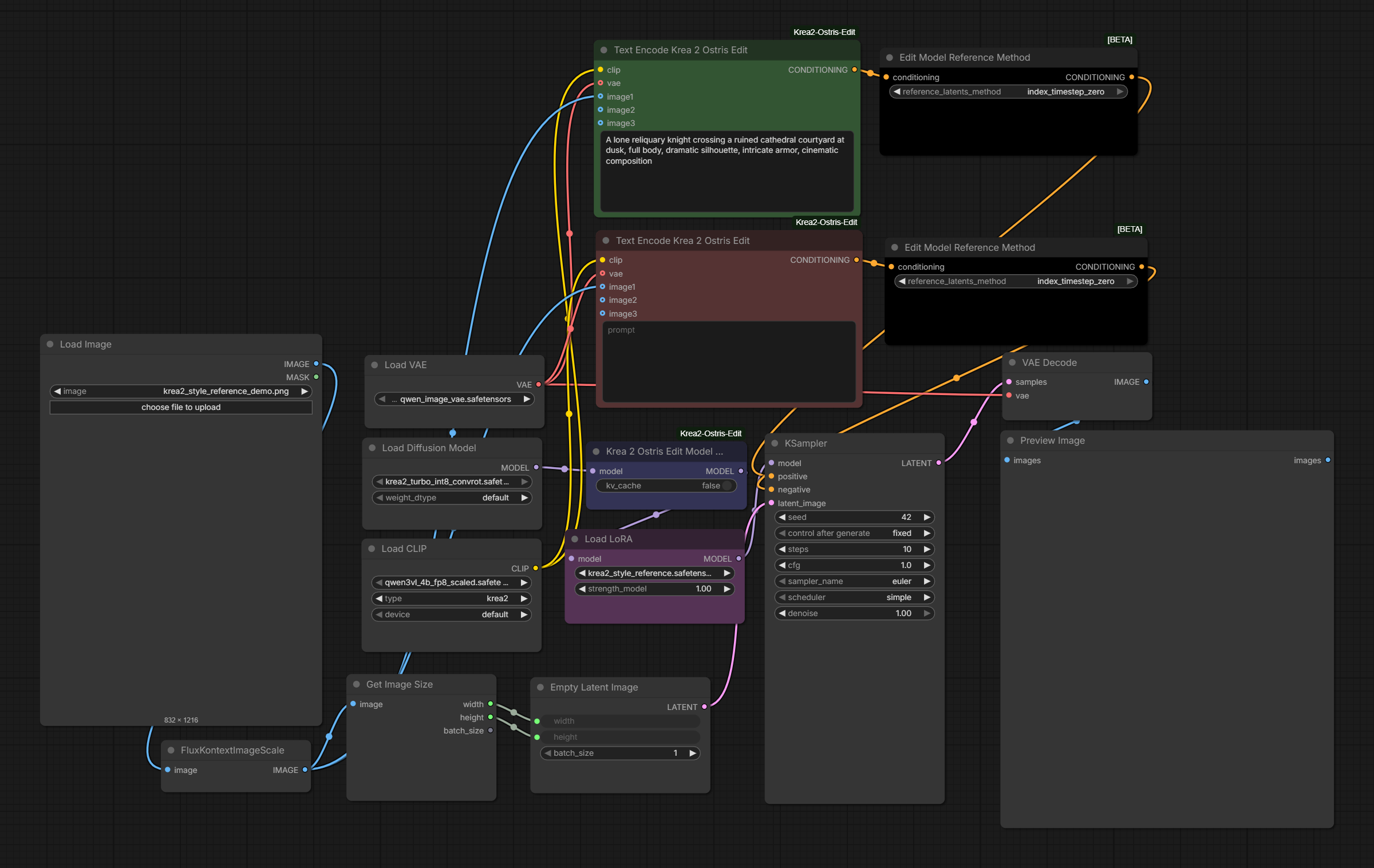
ComfyUI graph: Krea 2 style-reference edit with two text encoders, reference-latent method nodes, a style LoRA and a sampler

No single app makes a whole episode, so I wire the models together myself: in ComfyUI first, then in Python.

Above: a Krea 2 style-reference graph. A reference image goes in through a style LoRA and two reference-latent passes, and a new subject comes out in the same look. Every graph on this page is captured straight from my own ComfyUI.

Built in
ComfyUI, then automated from Python
Runs on
A local RTX 3060, Modal (L40S, A100-80GB) and a RunPod serverless endpoint
Models
Krea 2, FLUX Kontext, MiniMax H3, Stable Audio Open
Used for
Royal Vacancy, Vampire’s Contract and Ash Born
The graphs

Small, single-purpose graphs that each do one job well, and that a script can call a hundred times. Click any graph to see it full size.

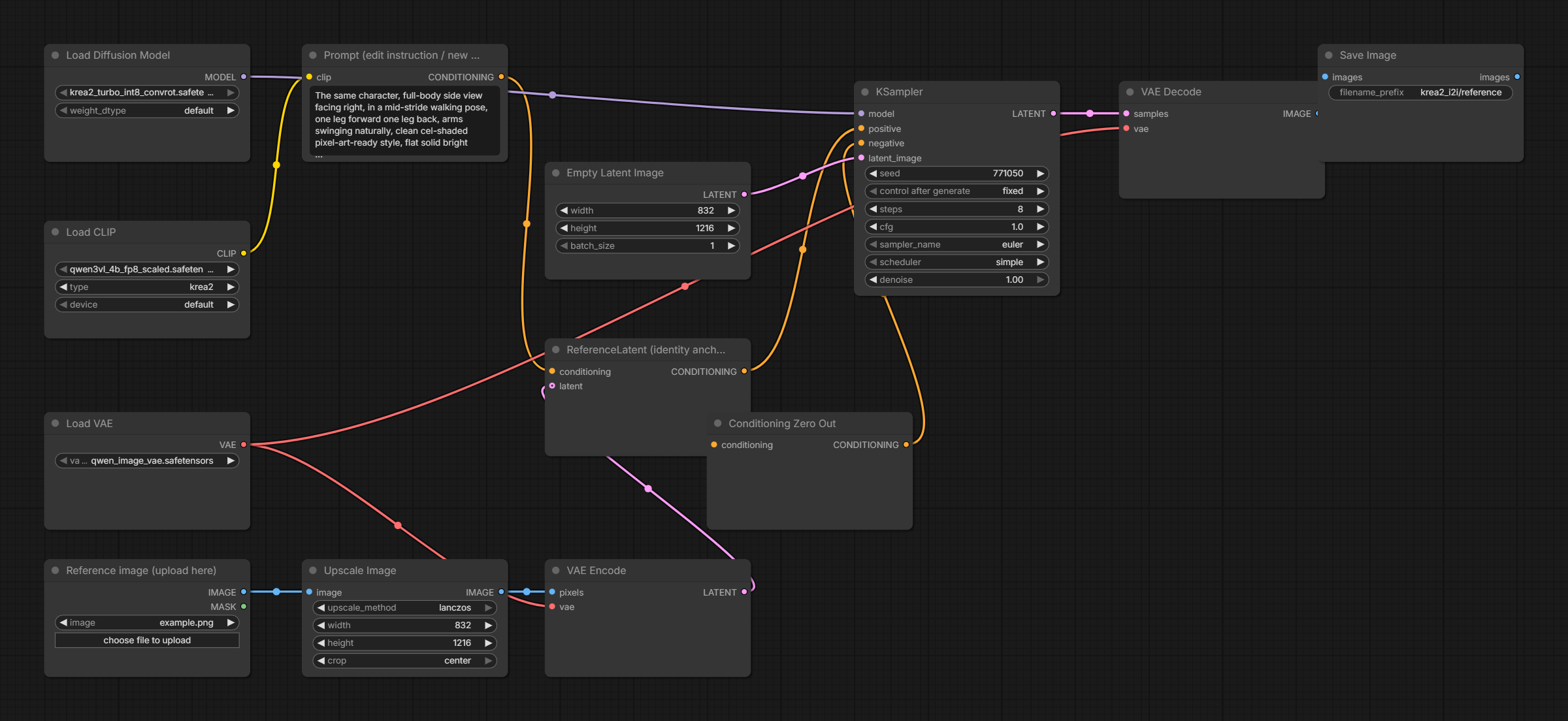
ComfyUI graph: Krea 2 image-to-image with a ReferenceLatent identity anchor

Identity reference

Krea 2 · 13 nodes

The same character in a new pose: the reference image is encoded once and fed to the sampler as a ReferenceLatent, so the face and costume hold while the prompt changes the pose.

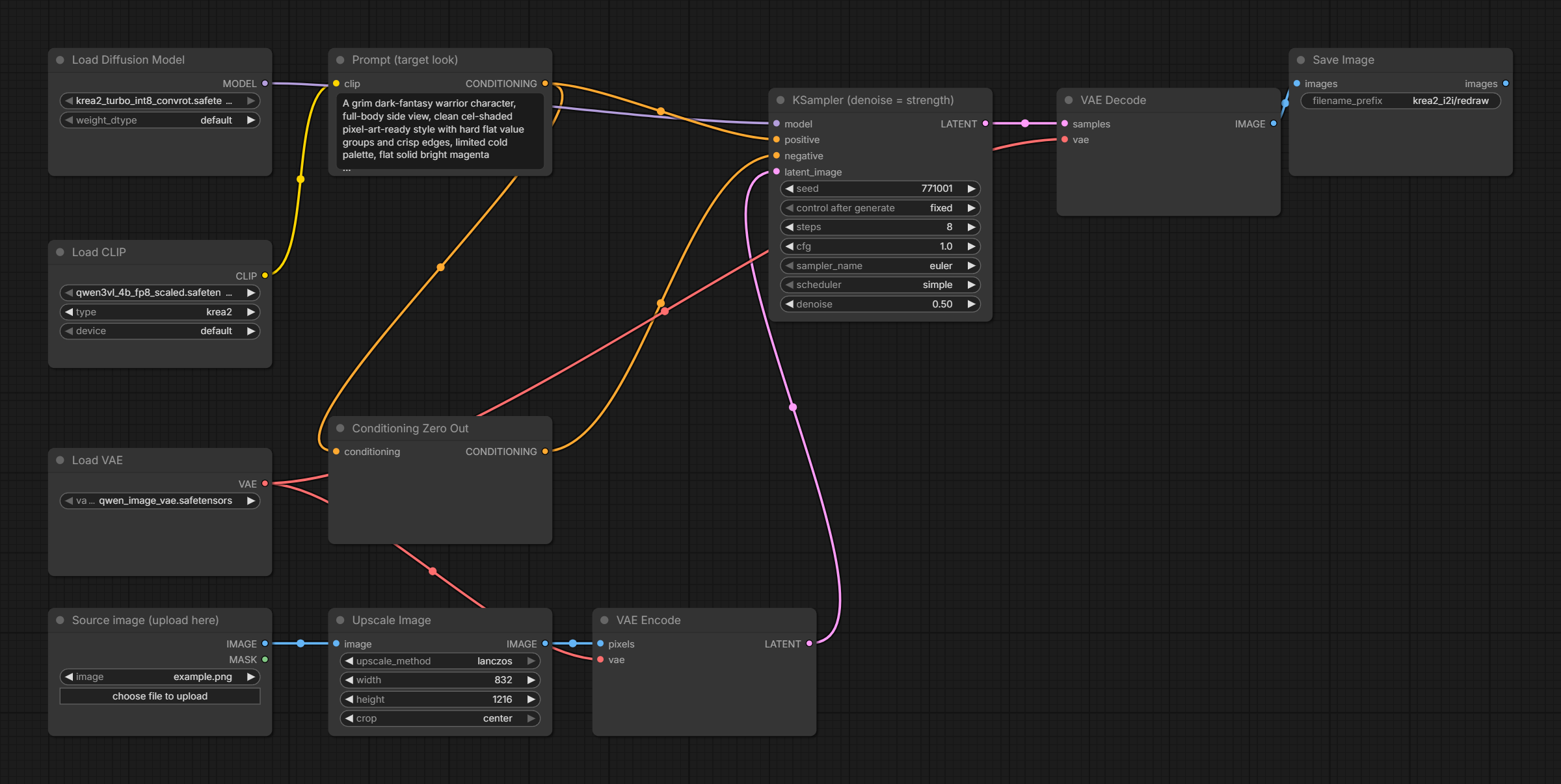
ComfyUI graph: Krea 2 image-to-image redraw with partial denoise

Redraw

Krea 2 · 11 nodes

Keep the composition, change the look: the source is encoded and resampled at half strength into a flat, cel-shaded style ready for pixel conversion.

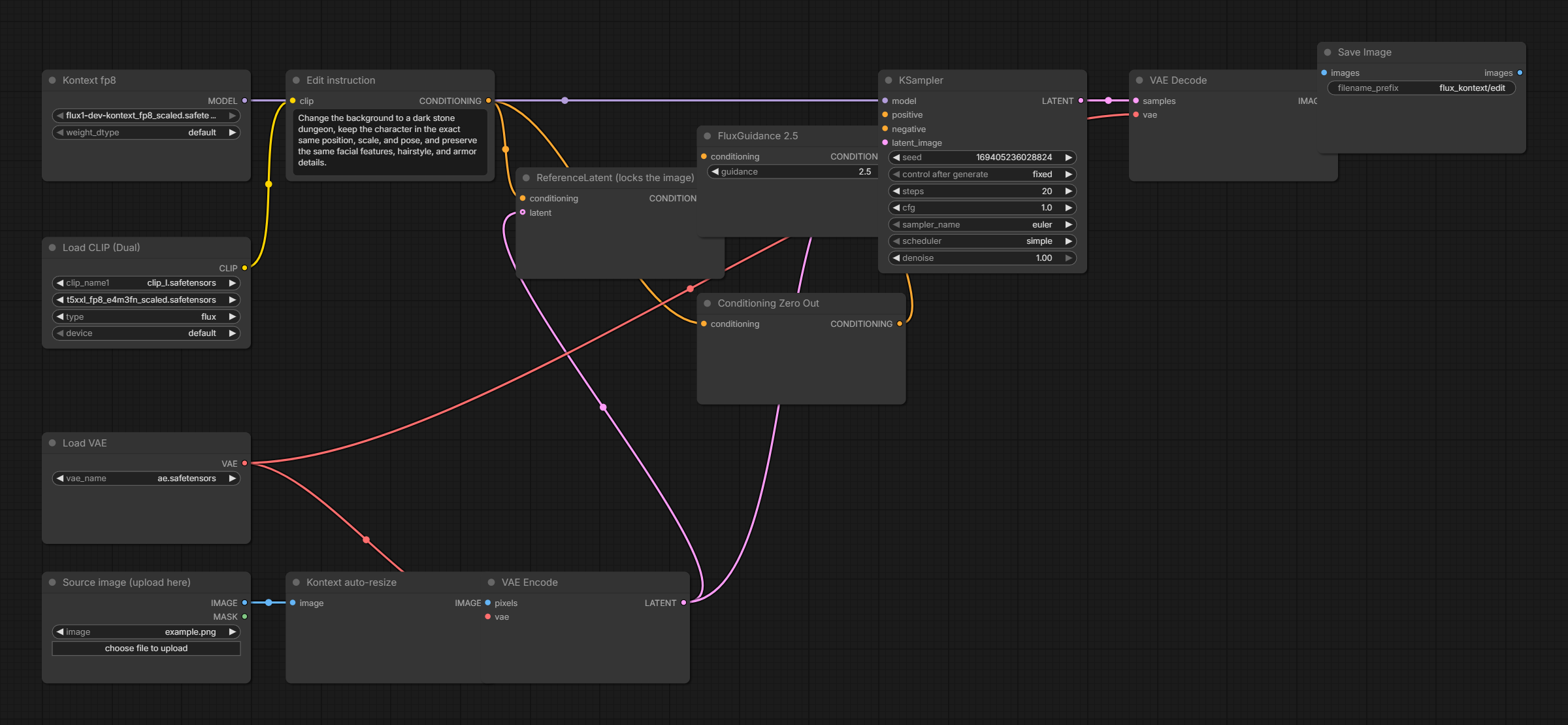
ComfyUI graph: FLUX Kontext instruction edit with a reference latent

Instruction edit

FLUX Kontext · 13 nodes

Edit by sentence: “change the background, keep the character exactly the same”. Puts a locked character into a new place without re-rolling them.

Graphs as code

Once a graph works, I stop clicking. Python loads its API export and rewrites it into a batch of jobs: new seeds, new inputs, extra nodes wired in.

# anchor the LAST frame once per pass, so a clip loops by construction
guides = find(g, "MiniMaxH3AddGuide")
for guide in list(guides):
    first_src = g[guide]["inputs"]["image"]
    nid = next_id(g)
    g[nid] = {"class_type": "MiniMaxH3AddGuide",
              "inputs": {"positive": [guide, 0], "latent": g[guide]["inputs"]["latent"],
                         "frame_idx": -1, "vae": g[guide]["inputs"]["vae"], "image": first_src}}
    # every consumer of the old guide now reads the new one instead
    for other, n in g.items():
        if other == nid: continue
        for k, v in n.get("inputs", {}).items():
            if isinstance(v, list) and len(v) == 2 and v[0] == guide:
                n["inputs"][k] = [nid, v[1]]

From my MiniMax H3 job builder. The video model drifted at the end of a loop, so instead of asking for a seamless loop in the prompt, the script adds a second guide node that pins the last frame to the keyframe and rewires every node that used the old one.

What I built

Around the graphs: the plumbing that runs them at scale, and the tools that let other people use them.

Video

A 150+ node graph, scripted

A large community MiniMax H3 workflow, run from Python with my own inputs: extra reference images, a mode without a first frame, batch seeds and a preview → upscale pass.

Cloud

ComfyUI as an API

My own ComfyUI apps on Modal and a RunPod serverless endpoint. One command per shot sends the job, brings back two takes and upscales both.

Chaining

Image, video, voice, music

Krea 2 references feed MiniMax H3 video with voice, Stable Audio adds the score, and a scripted edit adds subtitles and loudness.

Tools

Simple on top

A storyboard reference manager: set up a shot’s images, voices and first frame in a web page, and the order feeds the model directly.